When adding a question to a checklist, you can add logic rules to show or hide the question based on the response to any previous question (with the exception of text input questions), or based on a previous record at the same location. You can also add logic rules based on the selected check's location details. You can hide or show the question for specific locations, for locations with a specific location tag, or based on a location's attribute value.
To add skip logic to a question:
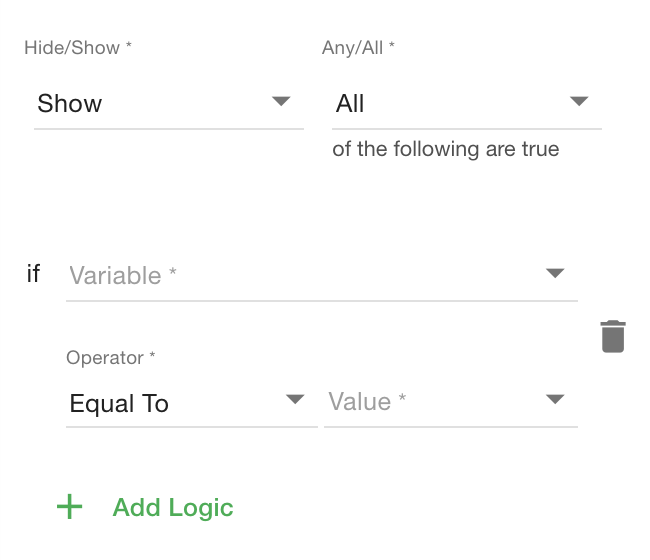
1) While editing the question, click Logic.
2) Click '+ Add Logic' to create a new logic rule.
3) Configure your logic rule(s) based. See below for an explanation of the selections.
Additional Note:
 |
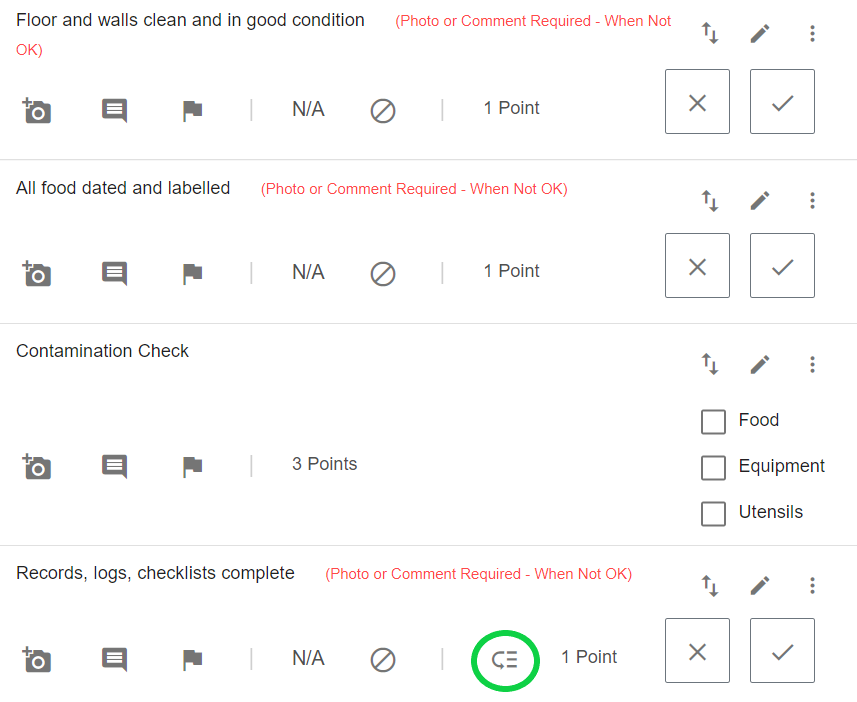
When a question has a skip added, it will be indicated on the question in the form editor. |
Understanding Logic Configuration Settings:
General Logic Configuration:
| Hide/Show | Any/All | |
| Indicate the outcome, that is if the question should Hide or Show | AND | Whether Any or All logic conditions are to be evaluated to get the outcome |
Question-based logic configuration:
| Variable | Operator | Value |
| the Simple Check question you select as the variable has a response that is | Equal To or Not Equal To | Ok or Not Ok |
| OR | ||
| Variable | Operator | Answer |
| the Multiple Choice or Checkboxes or Dropdown question you select as the variable has a response that is | Equal To or Not Equal To | The answer you select for this value |
| OR | ||
| Variable | Operator | Value |
| the Number or Calculation question you select as the variable has a response that is | Equal To, Not Equal To, Greater Than, Is Greater Than or Equal To, Less Than, Is Less Than or Equal To | The Number or Calculation result you select for this value |
| OR | ||
| Variable | Operator | Value |
| the Date Picker or Time question you select as the variable has a response that is | Equal To, Not Equal To, Greater Than, Is Greater Than or Equal To, Less Than, Is Less Than or Equal To | The Date or Time you select for this value |

Example of a skip based on a Simple Check question response

Example of a skip based on a Checkboxes question response

Example of a skip based on a Calculation question response

Example of a skip based on a Date Picker question response
Location-based logic configuration:
| Variable | Operator | Value | |
| Select tag or node as the value of the variable | Equal to or Not Equal to | the location tag or node you select as the value | |
| OR | |||
| Variable | Attribute | Operator | Answer |
| Select attribute as the value of the variable | Select Attribute | Equal to or Not Equal to | The answer you select for this value |
| Variable | Operator | Value | |
| Select tag or node as the value of the variable | Equal To, Not Equal To, Greater Than, Is Greater Than or Equal To, Less Than, Is Less Than or Equal To | The answer you select for this value | |

Example of a skip based on a location tag

Example of a skip based on a location node

Example of a skip based on a location attribute.
Previous Check logic configuration:
| Variable | Operator | Value | |
|
Select any question on your checklist |
Equal To, Not Equal To, Greater Than, Is Greater Than or Equal To, Less Than, Is Less Than or Equal To | The answer you select for this value | |
Example of a skip based on a response to a previous check