If you need to create a checklist that is similar to one you've already created, you can simply make a duplicate of the existing checklist and then edit it to meet your needs.
To duplicate a checklist, navigate to IntouchCheck.
- Click on Manage Checklists in the navigation menu to go to the Checklists page
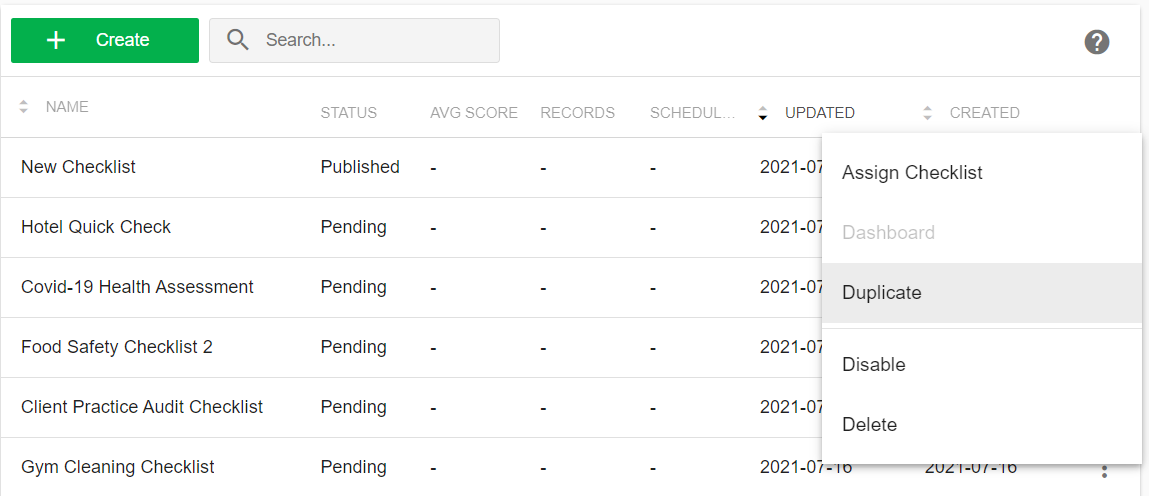
- Click on the triple dot menu for the checklist you want to make a copy of, then click on Duplicate.
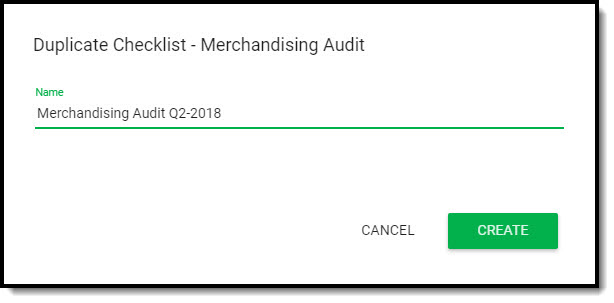
Enter the name of your new checklist, and then click on Create.
You will immediately be redirected to the form input user interface, where you can add/modify the sections and questions on your checklist, and re-configure the settings, as needed.